There is just no doubt that using a family calendar can really improve your life and if you are willing to dedicate yourself to faithfully maintaining all of your appointments and family commitments in one place, you will always know where to go to be prepared for the day, week, and month ahead. But to do this, you have to have the right tool for the job and use a great family calendar that will help you to get organized and stay organized in 2024!
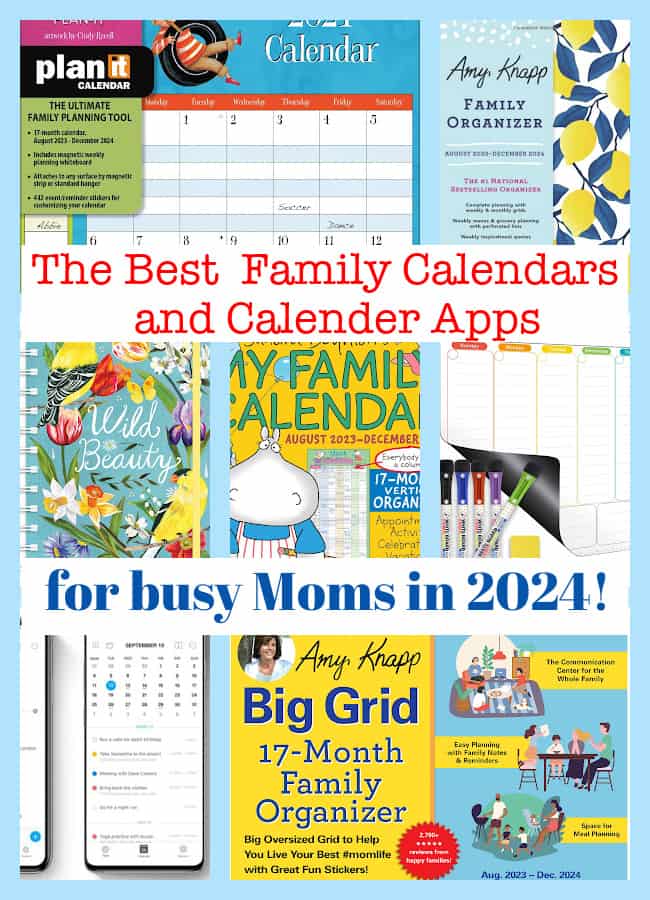
Quick Links to the Info in This Post!
- Our Top Picks for the Best Family Calendars & Calendar Apps for 2024!
- What Type of Family Calendar Will Work Best for You?
- What is the Best Family Calendar App?
- The Best Wall Family Calendars
- The Best Fridge-Mounted Family Calendars
- The Best Family Desk Calendars
- A Few Cool Tools You Might Like to Use with Your Calendars:
Our Top Picks for the Best Family Calendars & Calendar Apps for 2024!
| Best For: | Calendar: | Rating: |
|---|---|---|
| Best Family Calendar App | Tie: Cozi Family Organizer This is an affiliate link: MomOf6 earns a commission if you purchase, at no additional cost to you. and Any.do |
|
| Best Wall Family Calendar: | Amy Knapp's Big Grid Family Organizer This is an affiliate link: MomOf6 earns a commission if you purchase, at no additional cost to you. |
|
| Best Fridge Mounted Calendar | Orange Circle Studio Mom Calendar This is an affiliate link: MomOf6 earns a commission if you purchase, at no additional cost to you. |
|
| Best Family Desk Calendar | Amy Knapp Family Organizer This is an affiliate link: MomOf6 earns a commission if you purchase, at no additional cost to you. |
|
| Best Gel Pens for Calendars | Fineline Pens This is an affiliate link: MomOf6 earns a commission if you purchase, at no additional cost to you. |
|
| Best Calendar Stickers | Essentials weekly planning stickers This is an affiliate link: MomOf6 earns a commission if you purchase, at no additional cost to you. |
|


What Type of Family Calendar Will Work Best for You?
Finding the best family calendar that works for your family can be tough! There are all kinds of family calendars available to you, like shared calendar apps that allow you to sync to your spouse's work calendar and your kids' sports calendars. There are calendars that you can hang on a wall and everyone in the family can see each morning.
There are calendars you can mount on your fridge and ones that work with dry-erase markers so you can clean them off and start new each month.
And there are paper calendars that you can toss into your handbag and take along to all of your appointments. Or ones that sit on your desk and allows you to tear off a sheet each month.
But what it comes right down to is- which type of calendar are you most likely to use consistently? Because if you don't use it to record all of your appointments and commitments- then it's not going to be very useful to you!
Some Things to Consider Before Deciding on a Family Calendar:
- Would you enjoy the convenience of entering something once (birthdays that occur every year, sports practices held every Mon and Wed) and have it automatically repeat for you so you don't have to enter it over and over? (If so- go with an electronic calendar)
- Are you a visual person and need to have something to hold in your hand? (If so- a paper calendar might be best, or an electronic calendar that also gives you the option of printouts)
- Do you want something portable that can go with you to appointments? (Go with a paper or electronic calendar)
- Do you want your kids to be able to add commitments to your calendar (If so- a wall calendar might best or a shared electronic calendar)
What is the Best Family Calendar App?
Tied for #1: Cozi Family Organizer
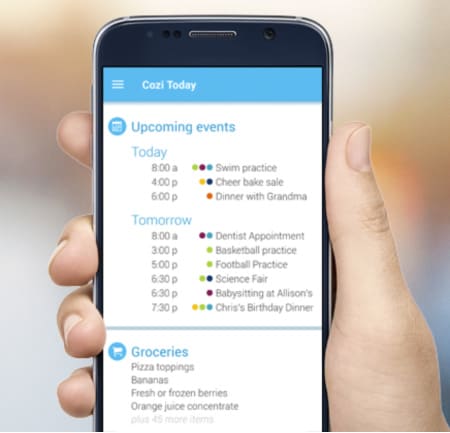
For years now, we've been recommending Cozi This is an affiliate link: MomOf6 earns a commission if you purchase, at no additional cost to you. as our favorite calendar app! We love it because it is all accessible from an app on your phone as well as on your other devices (tablet, desktop)- and every family member can access your calendar through the app as well.
Specially designed as a calendar app for families, Cozi features the ability to keep multiple calendars (color-coded by family member), allows you to make to-do lists and grocery lists, menu plan, and provides several options for printing calendars. You can set reminders and email notes for upcoming appts. You can share your to-do lists with your family too.
Another awesome feature is Cozi's skills integration with Alexa- which allows you to simply tell Alexa to add something to your shopping list- and it will appear immediately in your Cozi app!
|
|
|---|---|
|
|
|
|
| |
|


Tied for #1: Any.do
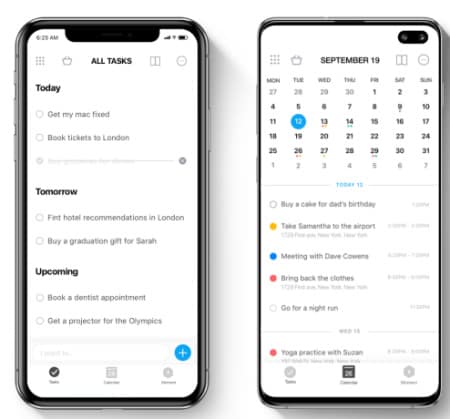
Any.do jumped to the top of our recommendation list for 2024 for several reasons:
- It is incredibly simple to install and pull over all of your existing calendar information from Apple or Google
- It has two-way sync with popular Calendar apps like Apple Calendar and Google Calendar- so if you've already set up sharing with other family members, you can leave all of that in place, and just enjoy using all of the additional functions in Any.do
- You can set the home screen on your device to be your Any.do calendar- and we certainly appreciate the beautiful design of the calendar layout
- Within the app- you have options of several views of your calendar (our fav is the three-day view)
- Any.do integrates with Alexa- for both the to-do list as well as the calendar! We love being able to add things to our shopping list while we're making dinner- and we never have to even touch our phone!
- There are some features that come with the Premium version of the app- one is called moments- where you can spend a few moments reviewing all of the events and to-do's of the day and assign them to specific time slots, and add reminders. A great way to start each day!
|
|
|---|---|
|
|
| |
| |
| |
|
We recommend using both Any.do and Apple Calendar together for the best of both apps functionality that work together seamlessly!
Other Great Family Calendar Apps:
Apple Calendar
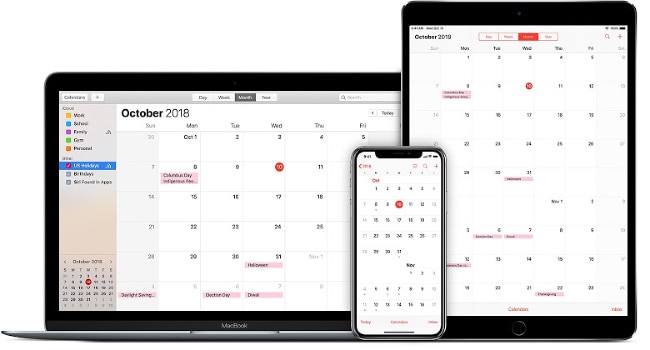
If you are already an owner of an Apple device (or several!) all of the email, address book, and calendar software already comes preinstalled with that device and everything is designed to work together seamlessly right from the get-go. Apple Calendar is such a powerful calendar tool- and it has all of the important features of a family calendar app:
It allows for multiple color-coded calendars. You can set up separate calendars set up for family appts, to-do lists, and business calendars. You can also subscribe to public digital calendars (such as the kids' schools). It syncs to iCloud so all of your devices are in sync, and it “plays well” with Google Calendar making it easy to update family members.
One of the things that I think sets Apple Calendar apart from other electronic family calendars is the ability to print out your calendar multiple ways!
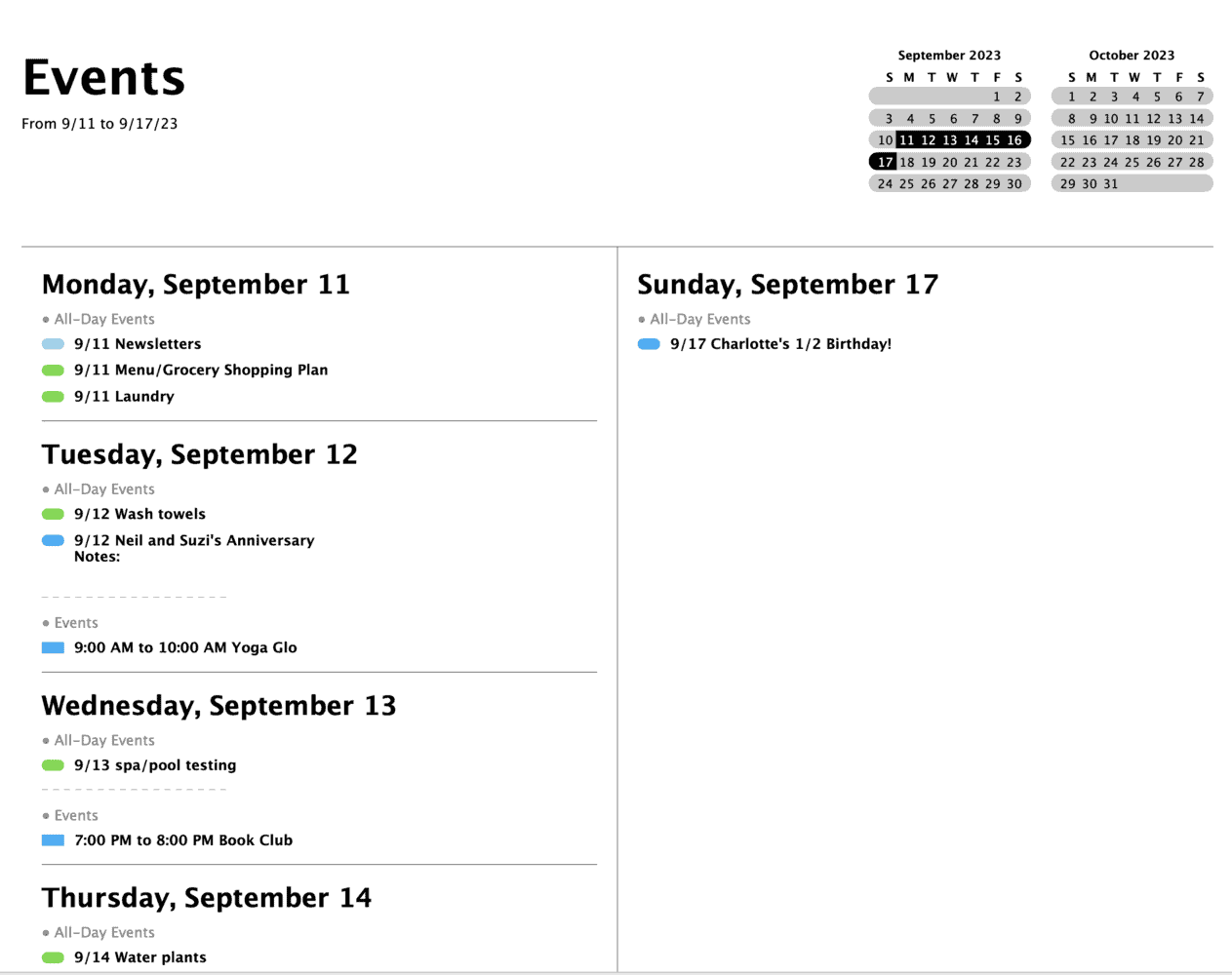
- I can print out a monthly view of just our family calendar and family to-dos and post it in my kitchen command center.
- I can print my weekly view as a list which I place on a clipboard and work from each week.
Note: Not an Apple user? The only way to access an Apple Calendar is with an Apple ID- making it rather inaccessible if you aren't using an Apple device of some kind.
Windows has a similar calendar system (Microsoft Outlook) that works on Windows desktops/laptops and syncs nicely with Windows phones and tablets. It also syncs well with Google Calendar.
But Outlook and Apple Calendar don't play well in the same sandbox- so be aware that it is not always easy to get them to sync with one another.
Google Calendar
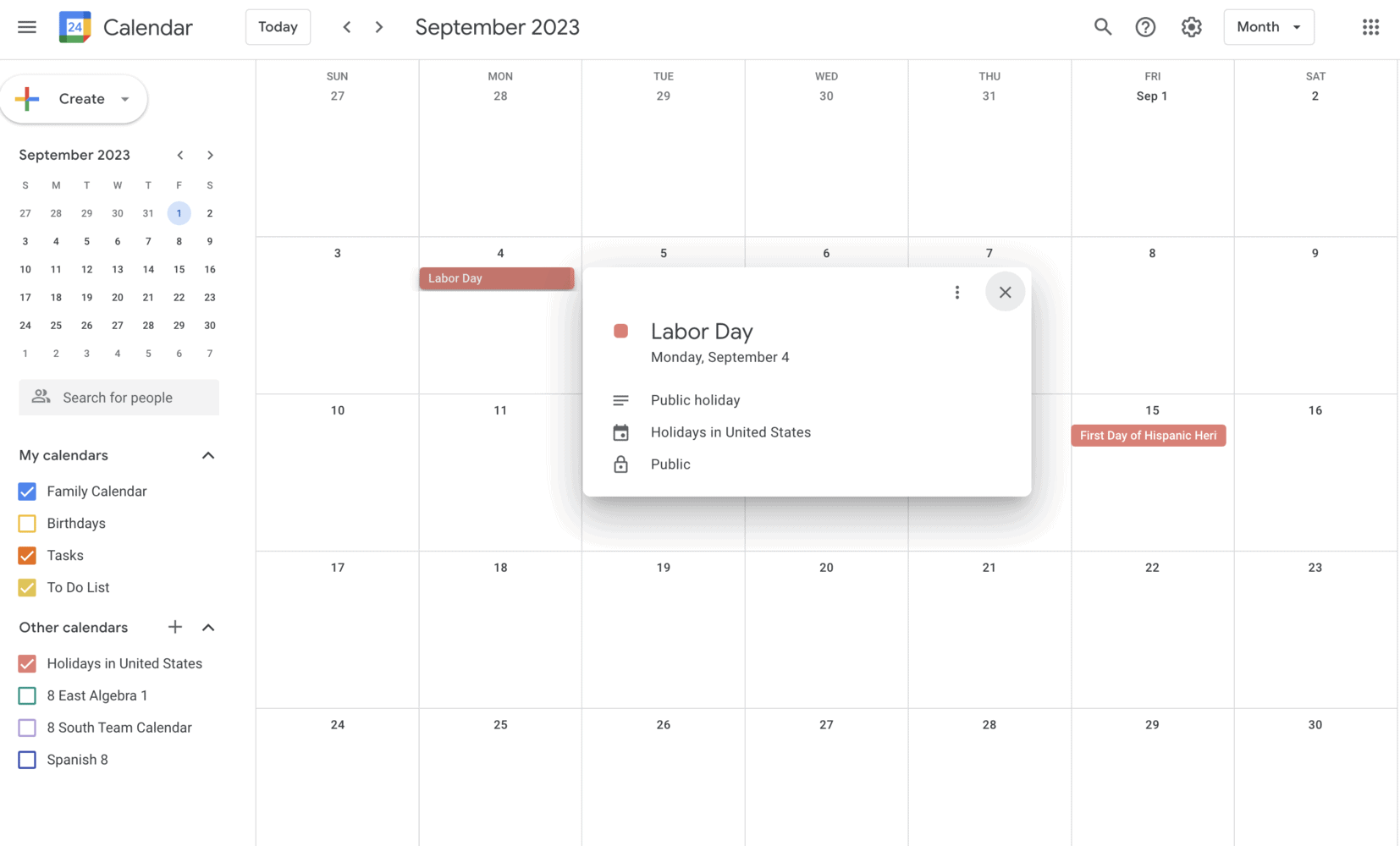
Google Calendar is probably one of the most widely used shared calendar apps because most people are quite familiar with Google. It is free with your Google account and already handily displays on the menu bar if you are using Gmail.
Google Calendar syncs nicely with other calendars such as Microsoft Outlook and Apple Calendar. You can notify others of events that you wish to schedule with them, and you can easily set up recurring appointments which make adding in the season's soccer practices easy-peasy.
For me, the big drawback with Google Calendar is the limited printing options.
Family Wall
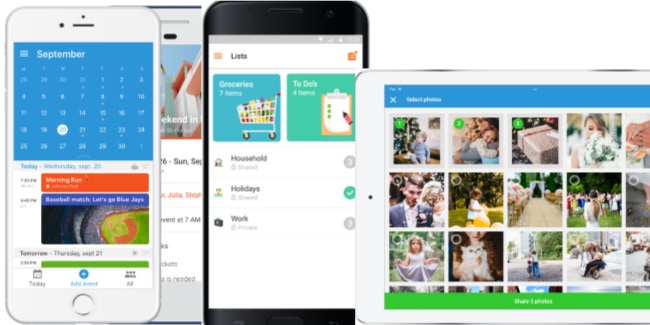
FamilyWall was created by two Dads in 2011 who saw the need for a family to be able to communicate via a shared space online that was totally private. They felt that while most people used messaging and social media to connect with friends, communication with family members remained limited to kitchen magnet, post-it notes left on a board, mobile texting or one to one email.
With FamilyWall, all your family can access a private Cloud, exchange messages with all the members, share important contacts such as babysitter and doctor, organize Family Events, and with the premium version, you can view the real-time location of any family member, as well as be notified whenever a family members leaves or arrives at a defined place.
And with a premium membership, you also get tracking features so that you can see where everyone is, and receive notifications when someone arrives or leaves a defined place.
Compare the Best Family Calendar Apps:
| Feature: | Cozi Family Organizer This is an affiliate link: MomOf6 earns a commission if you purchase, at no additional cost to you. | Any.do | FamilyWall | ||
|---|---|---|---|---|---|
| Supports multiple calendars- color-coded by family member | X | X | X | X | X |
| Can easily set up recurring events | X | X | X | X | X |
| Can set reminders | X | X | X | X | |
| Syncs with other e-calendars / apps | One way sync into Cozi | Two-way sync | X | X | |
| Can create to-do lists and share them with others | X | X | X | X | X |
| Integrates with Alexa (via a skill) | to do list | calendar & to do list | X | X | |
| Options for printing calendars in different layouts | limited | X | limited |
 Want to check some of the tools that I recommend for busy Moms?
These are my favorite items for Family Command Centers This is an affiliate link: MomOf6 earns a commission if you purchase, at no additional cost to you. and the Best Tech for Busy Moms This is an affiliate link: MomOf6 earns a commission if you purchase, at no additional cost to you. ! You can see all of my recommendations over on my Amazon Influencer page This is an affiliate link: MomOf6 earns a commission if you purchase, at no additional cost to you. !
The Best Wall Family Calendars
In spite of the fact that I believe very strongly in using electronic calendars to manage your family life, I know that many of you prefer a calendar that hangs on a wall for everyone in the home to see! Here are the best wall family calendars for 2023-2024!
Our Top Wall Calendar Pick: Amy Knapp Big Grid Family Organizer
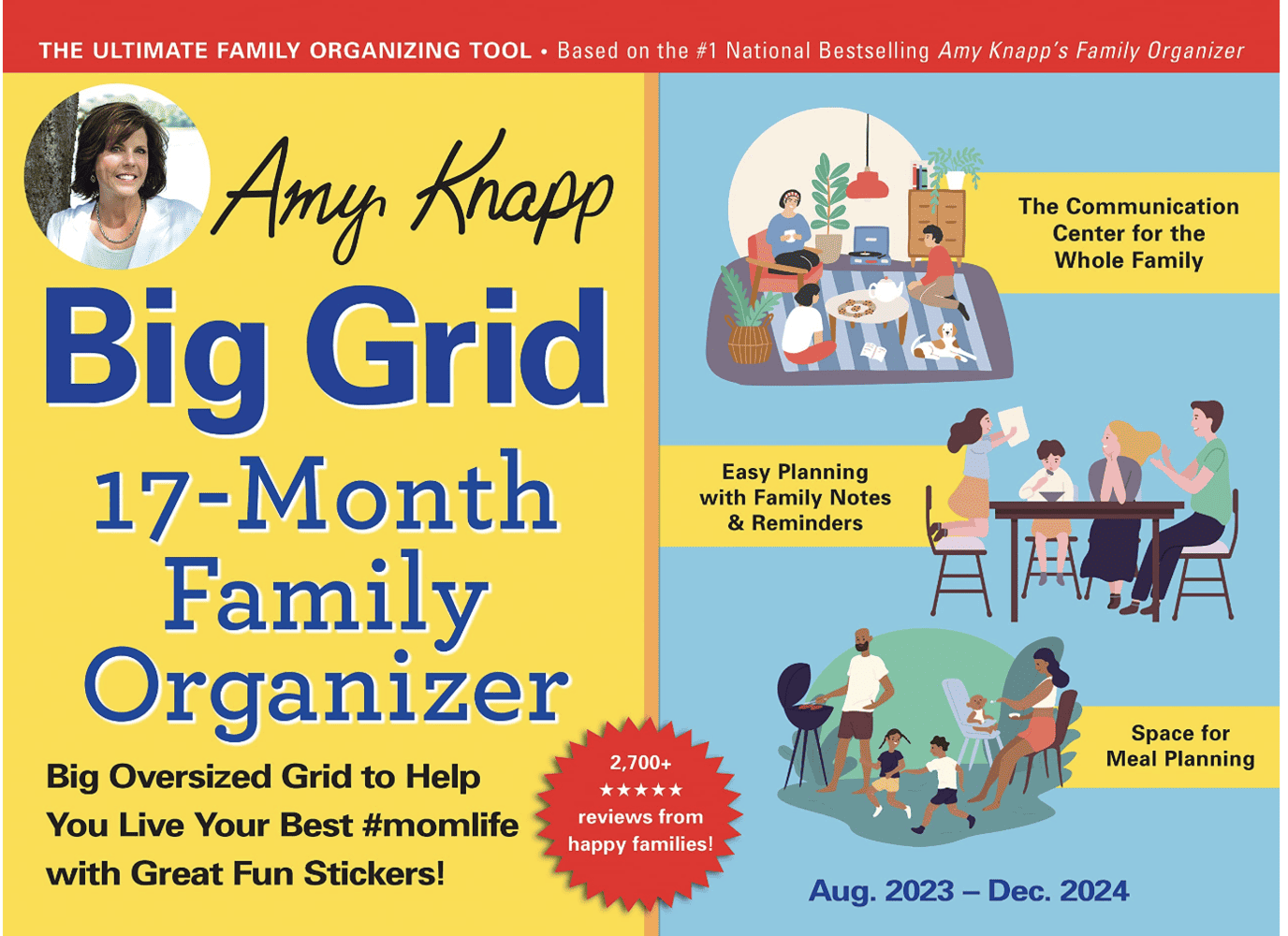
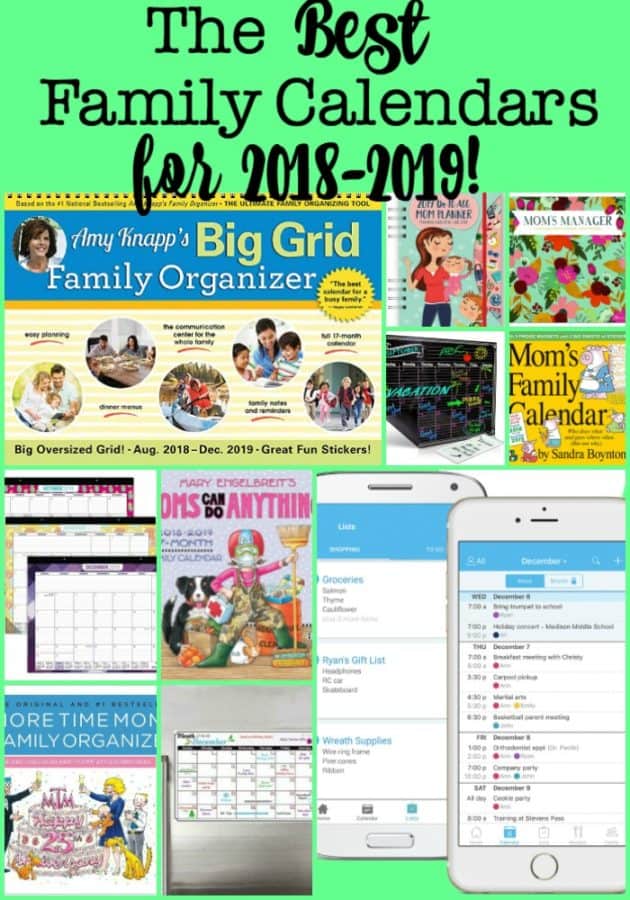
If you are a die-hard wall calendar person because you need to see everything posted in one place where the entire family can gaze at it over breakfast- then check out the Amy Knapp's Big Grid Family Organizer This is an affiliate link: MomOf6 earns a commission if you purchase, at no additional cost to you. . This calendar continues to be a favorite with MomOf6 readers year after year!
With plenty of space on every date to fill in appointments, this calendar provides room for menu planning, and comes with a Monthly Projects section with such gems as “Talk to your kids about their Halloween costume” (in Aug!), and “Check in on your resolutions” (in Feb!). There are lots of color-coded stickers you can use for special events and birthdays!
|
|
|---|---|
|
|
| |
|
This calendar is packed with good ideas that a family can use!
Other Great Family Wall Calendars:
Boynton: Mom's Family Wall Calendar
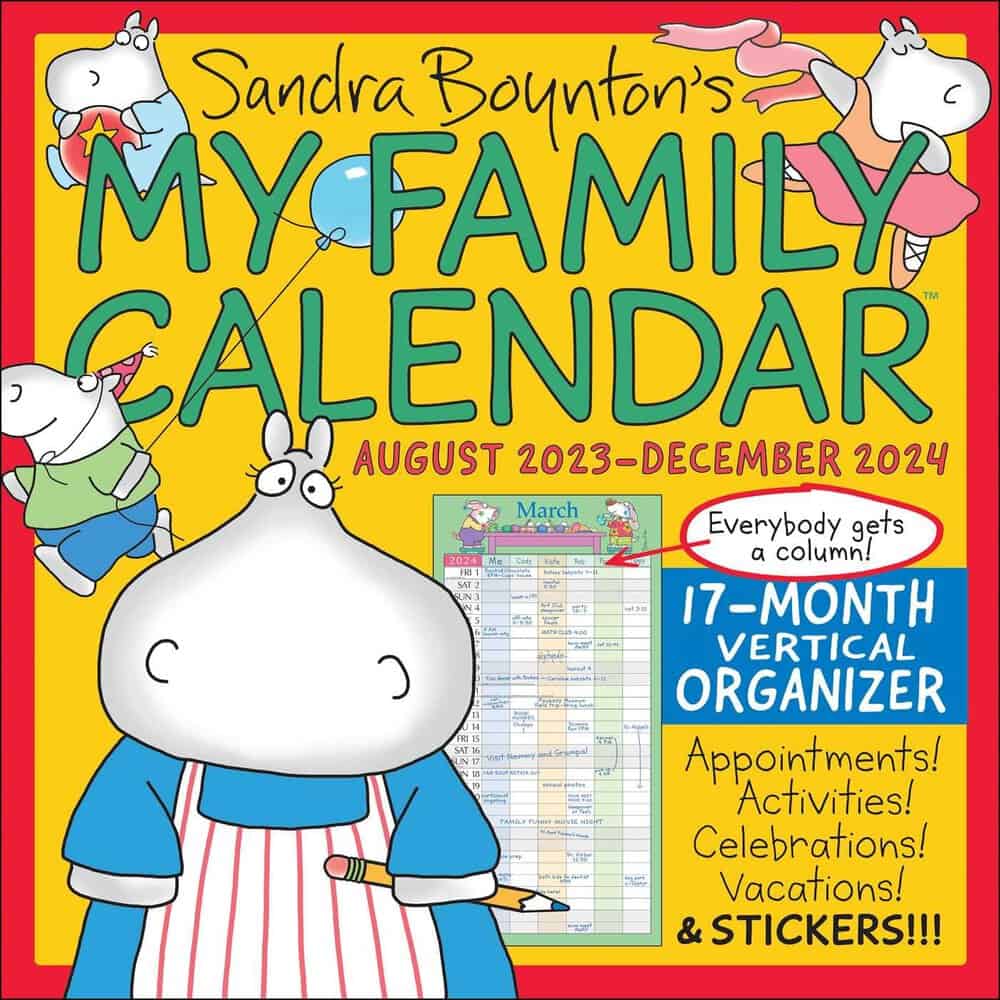
The nice thing about this calendar This is an affiliate link: MomOf6 earns a commission if you purchase, at no additional cost to you. , aside from the adorable bears, pigs, and hippos, is that the monthly calendar view has the days of the week going down the side of the page, and then there are five columns going across the top (one for each family member)- so you can easily see everyone's commitments for the day! It also comes with tons of stickers!
The Mom's Family Calendar is also available as a desk calendar This is an affiliate link: MomOf6 earns a commission if you purchase, at no additional cost to you. for Moms on the go!
Engelbreit's: Families Can Do Anything Wall Calendar

Featuring family-inspired artwork by Mary Engelbreit, as well as heartwarming quotes on every page, the Families Can Do Anything calendar This is an affiliate link: MomOf6 earns a commission if you purchase, at no additional cost to you. features 5 lines for each date so that you can keep track of all of your busy family's appointments.
There's plenty of space to make notes and a pocket that can hold flyers, invitations, coupons, and more.
Wells Street Plan-It Plus Wall Calendar
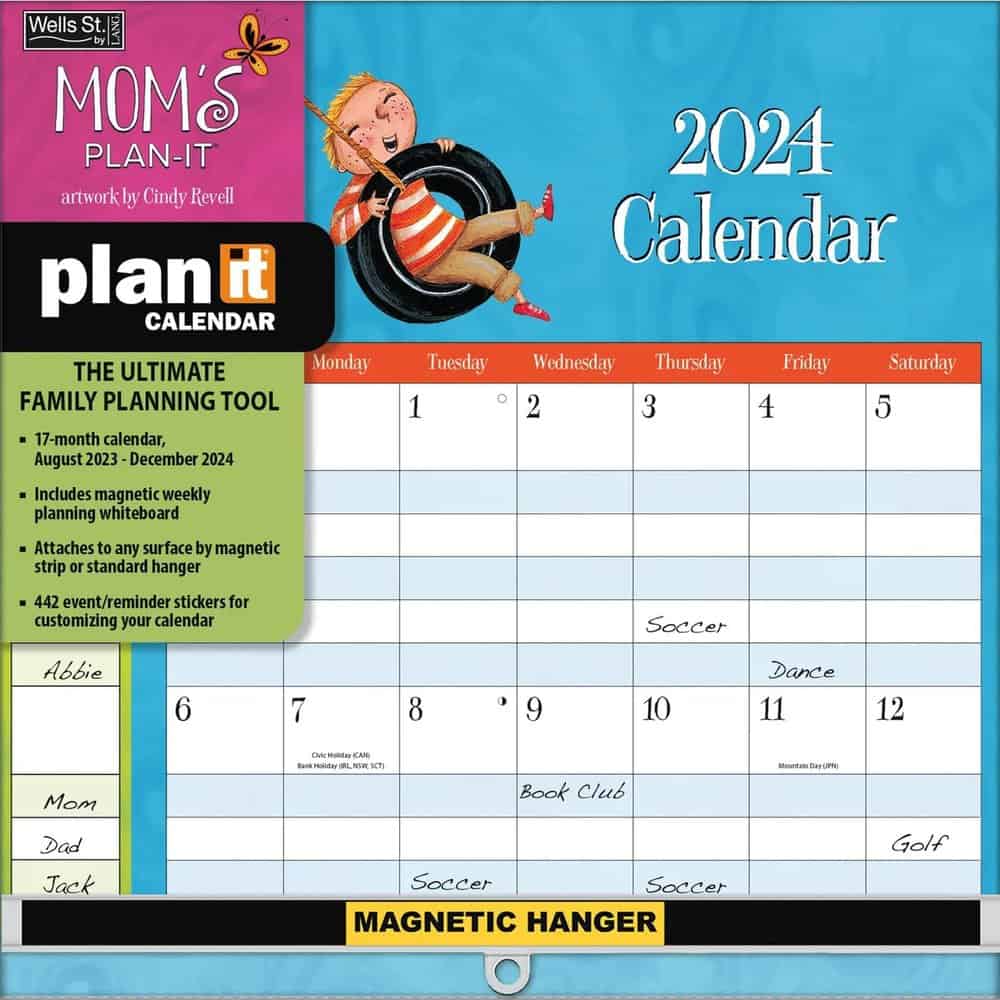
This Wells Street Plan-It Plus This is an affiliate link: MomOf6 earns a commission if you purchase, at no additional cost to you. calendar is a 17-month grid-style calendar that has very cute artwork, devotes space to 5 rows per date (which allows for 5 different family members), and comes with more than 400 planning stickers.
It has both a standard hanging system as well as magnetic (so it can be used on a fridge).
Compare the Best Family Wall Calendars
Note: on mobile, click the ‘+' to expand each item and compare the feature for all of the calendars
| Feature: | Amy Knapp's Big Grid Family Organizer This is an affiliate link: MomOf6 earns a commission if you purchase, at no additional cost to you. | Mom's Family Calendar This is an affiliate link: MomOf6 earns a commission if you purchase, at no additional cost to you. | Moms Can Do Anything Wall Calendar This is an affiliate link: MomOf6 earns a commission if you purchase, at no additional cost to you. | Wells Street Plan-It Plus This is an affiliate link: MomOf6 earns a commission if you purchase, at no additional cost to you. |
|---|---|---|---|---|
| Calendar Date range | Aug '23-Dec '24 | Aug '23-Dec '24 | Aug '23-Dec '24 | Aug '22-Dec '24 |
| Comes with stickers for personalizing | X | X | X | X |
| # of Lines Per Day for Events | 7 | 5 | 5 | 5 |
| Includes chore charts | X | |||
| Includes meal planning area | X | X | X | |
| Size when hanging | 22"x15" | 24"x12" | 24"x12" | 24'x12" |
| Traditional Calendar Layout (days across the top, names down the side) | X | Days down the side | X | X |
The Best Fridge-Mounted Family Calendars
If you don't have a lot of wall space in your kitchen, but love the idea of posting your calendar in one place where the entire family can see it and contribute to it- try a fridge-mounted calendar instead!
Our Top Fridge-Mounted Calendar Pick: Orange Circle Studio Magnetic Calendar
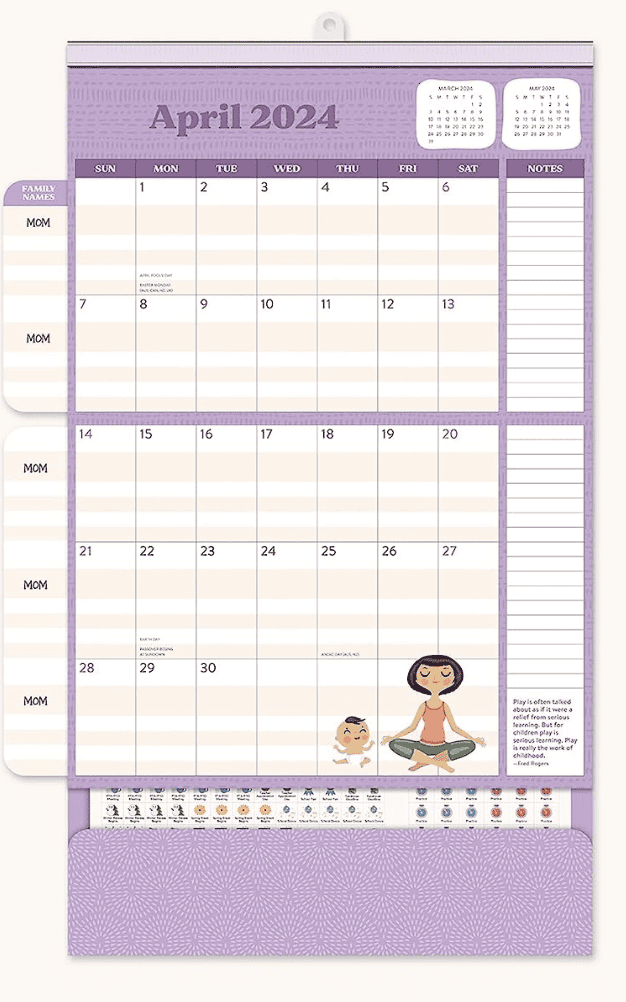
The Orange Circle Studio Calendar This is an affiliate link: MomOf6 earns a commission if you purchase, at no additional cost to you. has extra-large grids with plenty of room to write. And it features cute designs for each of the 17 months! Its magnetic hanger with a unique holder allows the calendar to be used on the fridge or on the wall.
|
|
|---|---|
|
|
| |
|
Other Great Family Fridge Calendars:
Set Of 3 Magnetic Dry Erase Calendars: Monthly Weekly, Daily
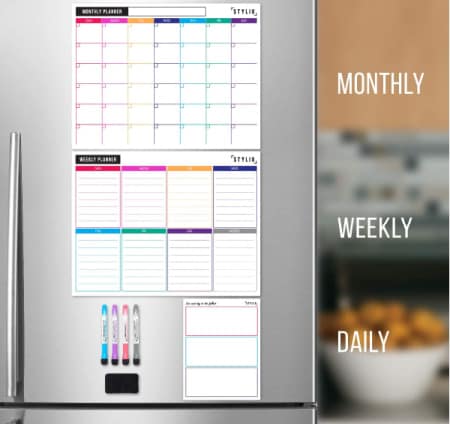
If you keep your calendar in an agenda book but want to be able to display a monthly view of that calendar on your refrigerator door for the entire family to see- then this magnetic dry erase calendar This is an affiliate link: MomOf6 earns a commission if you purchase, at no additional cost to you. is a great solution for you.
The nice thing about this dry erase version is that it erases completely at the end of each month! (Be sure to double check that your fridge door is magnetic before buying this one!)
Chalkboard Style Monthly and Weekly Calendars
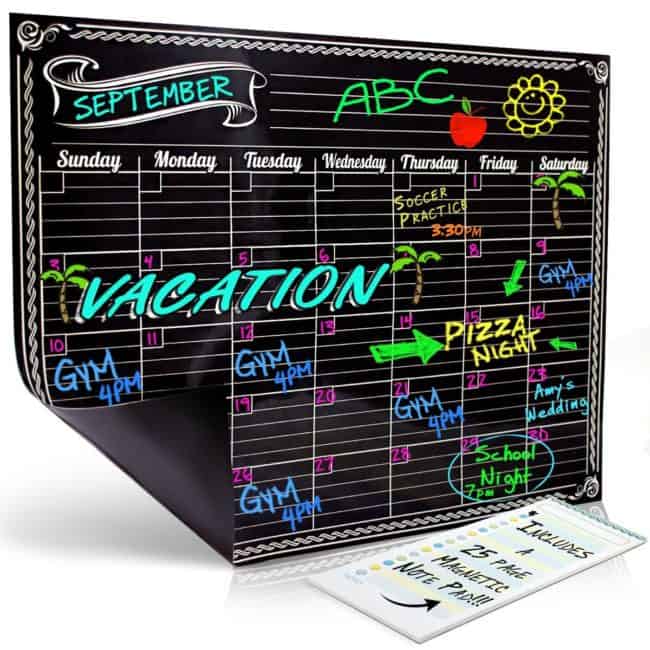
This chalkboard style monthly calendar This is an affiliate link: MomOf6 earns a commission if you purchase, at no additional cost to you. is another nice option to hang on your fridge.
And if you prefer a weekly format vs. a monthly one- you can opt for this weekly calendar This is an affiliate link: MomOf6 earns a commission if you purchase, at no additional cost to you. instead.
Be sure to pick up a pack of liquid chalk markers This is an affiliate link: MomOf6 earns a commission if you purchase, at no additional cost to you. to use on these calendars!
Compare the Best Family Fridge-Mounted Calendars
Note: on mobile, click the ‘+' to expand each item and compare the feature for all of the calendars
| Feature: | Orange Circle Studio Fridge Calendar This is an affiliate link: MomOf6 earns a commission if you purchase, at no additional cost to you. | Dry Erase Fridge Calendar This is an affiliate link: MomOf6 earns a commission if you purchase, at no additional cost to you. | Chalkboard Style Calendar This is an affiliate link: MomOf6 earns a commission if you purchase, at no additional cost to you. |
|---|---|---|---|
| Calendar Date Range | Aug '23-Dec '24 | unlabeled | unlabeled |
| Comes with stickers for personalizing | |||
| # of Lines Per Day for Events | unlined space | unlined space | unlined space |
| Includes pocket for papers | |||
| Size when hanging | 13"x13" | 13"x18" (2) 5"x10" (1) | 12"x16" |
| Traditional Calendar Layout (days across the top, names down the side) | X | X | X |
The Best Family Desk Calendars
Some Moms prefer to have a desk calendar that is portable and can move from the kitchen counter to her handbag and head out with her she goes through her day! (It's always easier to schedule appointments when you have your calendar in front of you!)
Or you might like an “old school” desk blotter type of calendar where you can tear off the top sheet at the end of the month and throw it away. Here are all of the best desk calendar options!
Top Pick: Amy Knapp Family Organizer
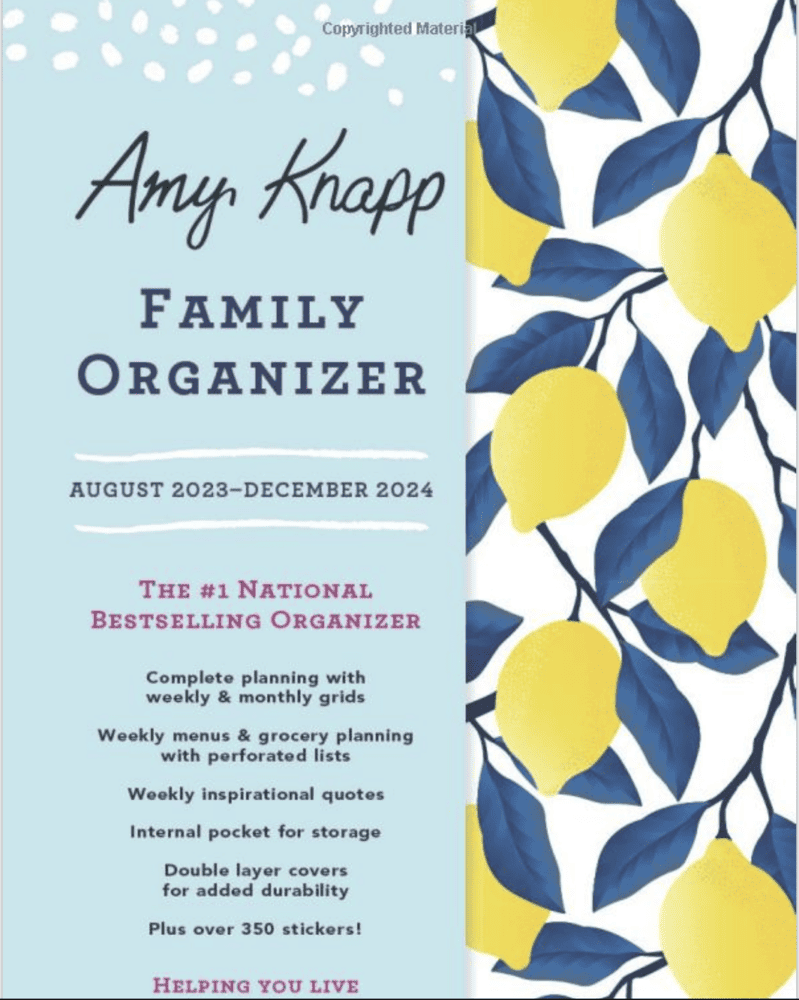
The 2023-2024 Amy Knapp family organizer This is an affiliate link: MomOf6 earns a commission if you purchase, at no additional cost to you. features weekly and monthly calendar grids, weekly grocery lists, weekly to-do lists, and inspirational quotes, as well as color-coded stickers in a portable spiral-bound notebook.
|
|
|---|---|
|
|
| |
|
This fantastic desk calendar is also available a Christian Family Organizer This is an affiliate link: MomOf6 earns a commission if you purchase, at no additional cost to you. , and it includes weekly prayer and praise sections, and uplifting spiritual quotes.
Other Great Family Desk Calendars:
Do It All Mom Calendar
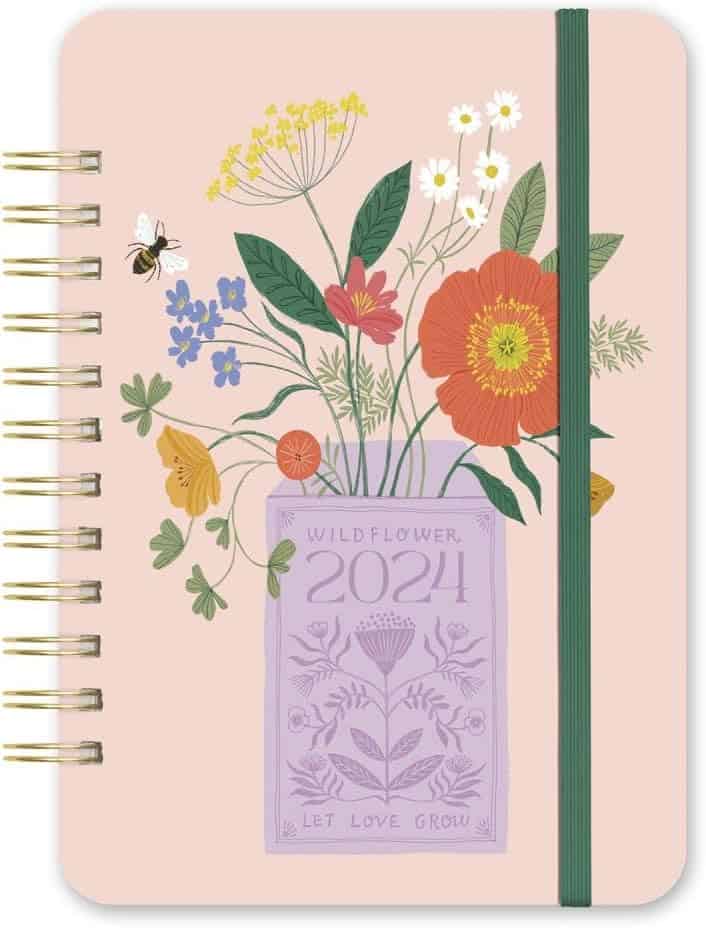
This smaller-sized Do It all Mom planner This is an affiliate link: MomOf6 earns a commission if you purchase, at no additional cost to you. has monthly calendars and a unique 6-section weekly spread that you can use to represent different family members or different areas of your life (home/work/volunteer/kids activities). It comes with a large array of stickers to personalize your calendar, as well as tear-off list sheets.
Katie Daisy Desk Calendar

This beautifully designed Katie Daisy calendar This is an affiliate link: MomOf6 earns a commission if you purchase, at no additional cost to you. from the creator of “How to be a Wildflower” features monthly and weekly layouts, a large pocket for storing paperwork, and an elastic band closure to keep it all contained.
Hadley Designs- Desk Pad Calendar
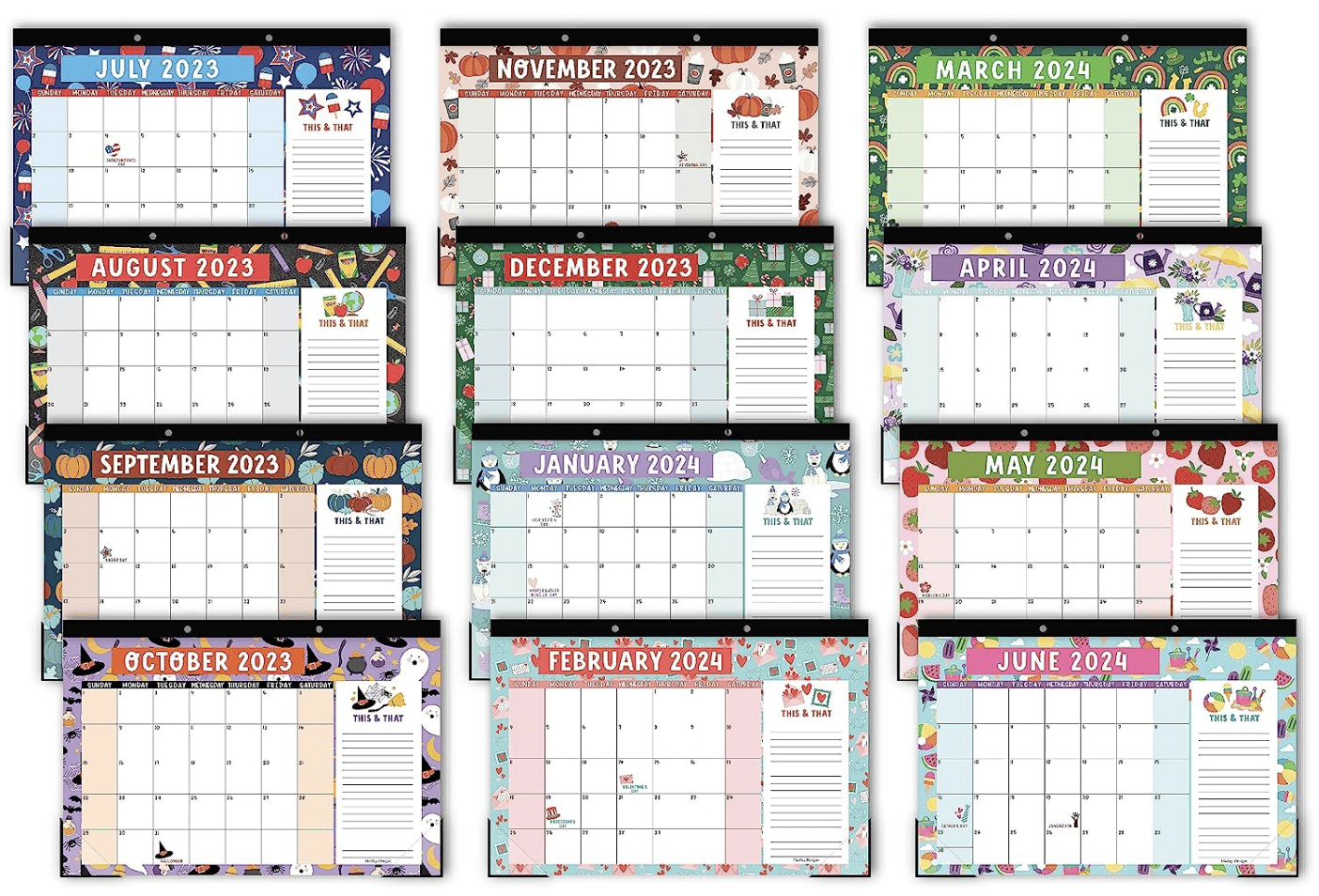
I love the rustic look of this Hadley Design desk blotter style calendar This is an affiliate link: MomOf6 earns a commission if you purchase, at no additional cost to you. . With plenty of space to track appointments and notes, simply tear off the sheet at the end of the month!
Compare the Best Family Desk Calendars
Note: on mobile, click the ‘+' to expand each item and compare the feature for all of the calendars
| Feature: | Amy Knapp's Family Organizer This is an affiliate link: MomOf6 earns a commission if you purchase, at no additional cost to you. | Do It All Moms Planner This is an affiliate link: MomOf6 earns a commission if you purchase, at no additional cost to you. | Katie Daisy Desk Calendar This is an affiliate link: MomOf6 earns a commission if you purchase, at no additional cost to you. | Hadley Designs Desk Blotter This is an affiliate link: MomOf6 earns a commission if you purchase, at no additional cost to you. |
|---|---|---|---|---|
| Calendar Date range | Aug '23-Dec '24 | Aug '23-Dec '24 | Aug '23-Dec '24 | Jul '23-June '24 |
| Comes with stickers for personalizing | X | X | ||
| Monthly and Weekly Pages | X | X | X | |
| Tear out lists (to-do/shopping) | X | X | ||
| Size when closed | 6"x8" | 8.2"x5.8" | 5"x7" | 11"x17" |
| Traditional Calendar Layout | X | X | X | X |
A Few Cool Tools You Might Like to Use with Your Calendars:
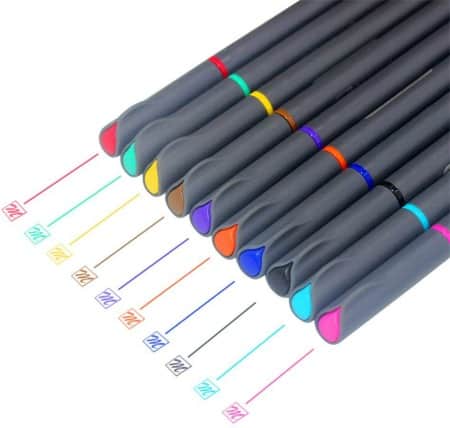
These Fineline pens This is an affiliate link: MomOf6 earns a commission if you purchase, at no additional cost to you. are the perfect colorful pens to use on your calendar or planner. Acid-free ink with minimal bleed- they'll make you want to stick with your new planning habit!
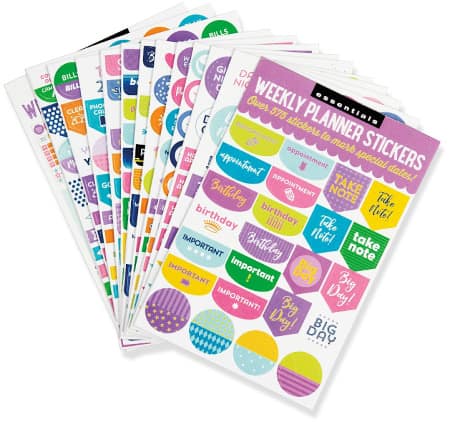
These Essentials weekly planning stickers This is an affiliate link: MomOf6 earns a commission if you purchase, at no additional cost to you. have been a favorite of MomOf6 readers for years! Perfect for both your planner as well as your family calendar!
Looking for some more tools to help you be a more organized Mom?
- Best Planners for Moms – a family calendar can help you organize your schedule and your time- but a planner can help to make sure that you are giving your life purpose!
- 15 Perfect Paper to Do Lists for Busy Moms- pretty paper lists to guide you as you get it all done!
- 15 Fantastic Command Centers to Help Busy Moms Stay Organized
Are you ready to get your life organized? Register for Busy Moms Boot Camp!
It's a free series of 10 weekly emails that can help you put some organization back in your life and help you to create room for all of those things that you'd like to be doing- whether that's making time to celebrate the little things with your family or carving out some space for yourself. Busy Moms Boot Camp can help you to move from chaos to organized! Simply sign up below to get started!

Imi says
Hi Sharon,
Thanks for compiling this great list! I wanted to draw your attention to OurCal, the privacy-first family calendar app, trusted by thousands of families worldwide.
https://ourcal.com/family-shared-calendar-and-reminders-app
With OurCal families can share calendars with the added protection of end-to-end encryption. You might be familiar with E2EE from products like WhatsApp that bring the importance of privacy to our attention. However, unfortunately, most calendar apps don’t offer this level of protection over your data. This leaves your family’s precious data vulnerable. OurCal offers guaranteed safety through certified end-to-end encryption of all your data.
Best,
Imi
Doug says
Hi there! I loved reading your post – it is filled with lots of great recommendations, and I like that it gives people a variety of ways to think about how to keep a calendar. I was hoping you could take a look at the app Scoot Family Calendar, and consider it for your list of family calendar apps. It is a shared family calendar available for both iPhone and Android (currently with a 4.8 rating), and it’s focused on helping parents during that period of time every morning that is just pure chaos – you’re trying to get your whole family ready to get out the door, while simultaneously trying to remember if someone had something they were supposed to do or bring that day. Scoot will send evening and morning notifications with a summary of your events that day AND reminders, like e.g. one of your kids had a permission slip due that day. There are lots of other features like shared to-do lists, Google/iOS/Android calendar syncing, customizable themes, etc. to round out the app. The worst feeling is sending your kid off to school in the morning, only to realize too late that you forgot something they needed that day (ask me how I know). Scoot aims to help prevent that from happening. Please take a look if you can, we would love to be considered!
Shel says
Exactly how old is this information? Comments go all the way back to 2012 on an article about the best calendars for 2022-2023?
I ask because, though I’m sure the intent here is to update this article yearly (?) you may want to take a second look at Cozi, in its latest iteration, because they have removed a lot of the features that made it outstanding — including the journal, which your list of pros and cons lists as still being available.
Sharon Rowley says
Hi there Shel!
Yes- this post gets updated twice yearly to allow for changes in calendars and apps as well as to review and test the latest offerings. I didn’t realize that Cozi had eliminated it’s family journal- so thank you for that update, which I confirmed. I have removed it from the pros/cons listing. However, we still feel that it is an outstanding family calendar.
shelley H buffaloe says
I am no longer seeing any skills in alexa that will connect to cozi or any.do. Are those skills no longer available? It is pretty important for me to keep my grocery list on Alexa. I can’t find any planners that will integrate with alexa for this.
Sharon Rowley says
Here’s what I found on Alexa and Cozi integration: https://www.amazon.com/Cozi-Lists/dp/B074XKPYST but I am no longer seeing an integration with Any.do and Alexa. I would suggest giving Cozi a try!
Anonymous says
The Cozi app does not sync with Google calendar. You can subscribe to it, but you cannot make changes. This is an important feature, as having to use a separate app to add things to the Google calendar renders this one useless.
E Shark says
The VERY best family calendar to keep organized is one I have to order from Great Britain every year because, with all the calendars available, I have never seen one with this design. BoxCleverPress makes a Family Weekly Planner that is the size of a wall calendar but each page is only a week. There are places for six family members (or in my case, four busy family members with extra space by the names.) There is a plastic overlay sheet on which recurring commitments can be written with the pen provided. There are perforated shopping and to-do lists. But the deal-maker for me is the giant space available by having only one week at a time. I look every year but no one in America makes one that size so the British BoxClever Press calendar will continue to hang in my kitchen for the time being. Mom’s rule: If it isn’t written on the calendar, it doesn’t count!
Mother & partner says
Looks like it will be Amy Knapp for us again in 2020, then. We need a family wall calendar, not one that assumes that only 1/5 of the family is in charge of the planning.
Sara says
Sharon,
Great article, I’ve been using Cozi for about 5 years and love it mostly. The only thing that would make it better would be a landscape weekly print out.and to invite people from other Cozi’ calendars. 🙂 I tried a mock set up of the Apple calendar as that would be an option of us but can not figure out how to print the options you mentioned above. Can you direct me? Google searching and the help button has not worked 🙁
Elina says
Thank you very much for the article, it is written great! I learned a lot for myself. I want to share with you my favorite app for family affairs. We have been using the Weeek app for a year now. You can add up to 15 people for free, it is very convenient. We have four people in our family, so we don’t have to pay extra for anything. In general, the app has a very user-friendly design, immediately understand what and how to do.
Nathan M. Dant says
I am using DayHaps – online calendar, as per my own experience its simple family calendar and for everyone. Its free to Download ( https://dayhaps.com/en/online-calendar ) . Its allows you to Create group calendars
Simple & Fast.
printable calendar says
2019 will be my third year using your printables and I’m so excited because this might also be my favourite one yet! I usually have two (the current month and the following one) up on my fridge at a time to help keep me on track with my tasks and family activities. Thank you so much for these! <3
Marco says
Hi Sharon,
Great post and a great list of apps for families.
We are a family organizer app called Poppinz, with shared and private calendar, lists with due dates and assignees, chat with family members, memories feature to share images and videos with the entire family and much more. Available on iOS and Android: https://poppinz.app
Would love to hear your thoughts about our app.
Thanks
Jamie Malin says
Thanks for the info. For the Apple Calendar, can you please give me the steps to get to that weekly view with all Events listed that you can print out? Would be great if you confirm what device and program you are printing this from, e.g. Calendar on the Mac. Thank you. Jamie
Sharon says
When I am on the desktop version of my Apple calendar- I simply go to File / Print and then under view I select “list view”, and then identify the timeframe as well as the various color-coded calendars that I would like to appear in my printed list.
Kirsten says
Have you tried Picniic? It’s amazing. Expensive, but not for all it does and if you break it down per month it’s a cost I easily pay. We’ve been using for for a few months and love it.
Robert Johnson says
Another option is to make a photo calendar. I use http://photo-calendar-software.com/. There you can make a photo calendar from your photos. It’s very simple, because there are many templates there. Then this calendar can be printed. It looks very beautiful.
Jenee says
How do you print the monthly view of just your family calendar in ICal or apple calendar? Does it require a separate app to print? I don’t see any print options from my iPhone.
Sharon says
I print it using the desktop version- not from my phone.
Monica says
Do you need your ex-husband back or you want to save your marriage / relationship from breakup and Divorce? you can contact dr. Mack through email dr_mack @yahoo. com
Kairy Schuermann says
I’m desperate for a new digital family shared calendar. Google Calendar keeps randomly deleting appointments and it’s an expensive mistake since we still have to pay! I can’t disagree more strongly against recommending this app!
Amanda Collins says
How odd! Did you ever figure it out? I have used Google Calendar for years and never had that happen!
Scarlet says
I have heard about Cozi from a few different sources so I think it is time for me to give it a try! Thanks for all awesome calendar suggestions!
Anonymous says
Have you pay your necessary BILLS? Do you need money? Do you want a better way to transform your own life? My name his Walton Ford. I am here to share with you about Mr ERIC MARK new system of making others rich with not less than two to three days.I was in search of a job opportunity on the internet when i come across his aid on a blogs that i was on to, talking on how he can help the needy with a programmed BLANK ATM CARD.I thought it was a scam or normal gist but i never had a choice than to contact him cause i was seriously in need of Finance for Business.I contacted him on the CARD, and not less than a minute he respond and give me the necessary information’s on how to get the card. My friends, today am a sweet happy man with good business and a happy family. I charge you not to live by ignorance.Try and get an ATM card today through (MR ERIC MARK) and be among the lucky ones who are benefiting from this card. This ATM card is capable of hacking into any ATM machine anywhere in the world.It has really changed my life and now I can say I’m rich because I am a living testimony. The less money I get in a day with this card is $ 3,000.Every now and then money keep pumping into my account. Although is illegal, there is no risk of being caught, as it is programmed so that it can not track, but also has a technique that makes it impossible for the CCTV to detect you.. I urge you to contact him on the BLANK ATM CARD. For details on how to get yours today, email hackers: [email protected]
lizethkemny says
Really a great addition. I have read this marvelous post. Thanks for sharing information. I really like that. Thanks so lot for your convene.
SerhiiG says
I use the iSmart.Life app to conduct my tasks. This is a very simple and convenient application.
Will says
Did you try FamilyWall. Works great for managing family schedules, tasks, photos and real time location
Grant Williams says
These are very nice, Sharon. What a great list. I hadn’t heard of quite a few of these.
Nancy Juliet says
it is a useful article. I bookmarked it .
Amir says
Hi Sharon,
We are a shared calendar that helps you stay organized with not just your family, but your entire network. Our platform offers sharing capabilities that make sure your privacy is taken care. You decide who sees what. We also have a shared list.
We are in the AppStore and GooglePlay. We are free with no pop up ads.
Would love to hear your thoughts
Amir
P.S. COOSHA stands for COOrdinate & SHAre
Sharon says
Thanks for the info! I downloaded Cozi and love it. It will be a huge help!
Sharon says
You are so welcome! They make an amazing product!
Elias Nystuen says
Amazing blog! This is the best app for me. I can check my schedule using iCal. I can put my daily schedule and event without forgetting anything. This is perfect method of getting schedule using your smartphone. If I miss something on events in a day it automatically reminds me. Thank you for posting this valuable blog.
Junaid Kayani says
Amazing post with great Research, Love your site Thank you.
Wang says
Hey, I was searching for something came across this incredible post on your site. Seriously amazing.
Best,
Wang
Jodell Gabriel says
Searching for a family calendar that will also print a monthly copy. Does cozi do that?
Sharon says
I believe that it does- but the one I use the most and love both the monthly print out as well as the weekly “list” print out is the iCal system.
Marybell says
Hi Sharon
I hope you can help me. This summer will be the third and last summer that we share a house in NC. I need a schedule for the kitchen. Cooking breakfast lunch and dinner. It seems that we all want to stay a bit later at the beach or pool but we all end up in the kitchen at the same time helping out. That’s nice but each family should be able to relax without feeling guilty.
Please advise. Thank you. Marybell
Cheryl says
I’ve been using this calendar from calendarsandchores on the easy store for several years now and have never looked back. Hands down best calendar ever! Super attractive and nice heave quality. I keep it in my kitchen where all the family members can see it. Electronic calendars are nice, but there’s nothing like something that is physically present and right in front of the whole family. Every member gets a different color and is responsible for keeping their own items up to date. It’s been a great tool to use train my teenage children about scheduling and time management. The real genius is the rotating weeks that are detached from each other.
https://www.etsy.com/shop/calendarsandchores
Helene Roussi says
Your link for PlumLife calendar takes me to a site about controlling my home electronics remotely, not a link to the calendar app
Sharon says
Thanks for the update Helene! I removed the links- PlumLife is no longer available.
Kerry says
Great ideas….I am curious about finding an online calendar that works with families that are d invoiced. This way the two homes can both have their children’s schedule and both add to it. They however cant see each others personal schedule. Would love any suggestions to help manage two schedules for two homes!!!!!
Sharon says
Great question. In either Google calendar or iCal, you can set up specific calendars- so you can add one and call it “Kids Schedule”. You can then share that calendar with your ex, and allow him to contribute to it as well, and it can sync back to your calendar. When you go to add personal items to Google Calendar or iCal, be sure you are adding them to the “Personal Calendar” section and not to the “Kids Schedule” section. As long as your Personal Calendar is kept private and it not set to sync, your ex will not see anything on that calendar.
My husband and I use calendars in this manner- I share our family calendar with him, but keep my blogging calendar separate.
jewel70 says
We are a Mac /Apple family all the way around BUT i found that Cozi is much more appealing to me than iCal after many years of iCal. Cozi does allow syncing across all platforms including my boys’ phones/ ipods, and you can have a shortcut in your Bookmark Bar at the top of the browser screen.
I also like still use a wall calendar, which makes one extra thing I have to do to keep it updated as well, but still can’t cut that cord 😉 Maybe I’ll start to print out the Cozi calendar every week but until then I use the Flylady Calendar for the kitchen wall.
Sharon says
Thanks so much for your comments on Cozi! I love to hear what works for other families!
Tony Eley says
Hi Came across this great resource for family calendars and just thought you might like to take a look at the fantastic personalised family calendars at www.happy-when-organsied.co.uk
Luis says
These are great, Thanks Sharon! I’d also like to suggest print-a-calendar.com. It’s great if you like printed calendars because you don’t have to download anything, you can print it right from your browser. And it gives you the best of both words because you can still enter your notes into the date boxes on the computer before you print it.
Lisa says
I have been trying to love Cozi since Aug. However, I cannot believe how slow the server is. I can’t update or catchup on things that I’ve finished because I have to “retry” on almost every entry. I’ve contacted support and they are very nice but the problem is making me find something else. I’m so frustrated wasting time trying to enter. Also, you can’t search any text. The list’s don’t have a date option or order of importance…… i wanted to love it, I’m obsessed w/calendars & organization but I’m moving on.
Sharon says
Thanks for the input Lisa- I hadn’t heard that about Cozi, but a system that frustrates you is certainly not one worth keeping!
Anonymous says
I use COOSHACALENDAR. It’s free. I can also share it with my network outside the home. Pretty cool
Karen says
Sharon – If you find a really good grocery list program let me know. I started using the Cozi one and was excited about how you can make many different lists (for the 4 different stores we go to). However, it does not organize the items into sections, ie; fruits, vegetables, dairy, etc. It is just one big list down the left side of the paper and what a waste of trees to print that out! Anyhoo, love your site and your research and suggestions. You are my hero for being so organized with 6 kids! Wow!
Sharon says
Aww… thanks Karen! I really like using my Excel spreadsheet list that I created and organized by areas of the store…. and I just keep it on a clipboard in my kitchen and add to it as we run out of things. So far I have not found any program or app that I like better than this method.
Karen says
Yes, that probably is the best program for grocery lists. I’m not super proficient at Excel but I guess with enough practice I’ll get good at it! 🙂
michelle says
We’ve been using ourgroceries.com for over a year and love it.
Erica Filpi says
Admittedly I run a small home based business, so I mix family with business on my calendar. I found free print sheets (I shall remain nameless unless given permission) that I printed for several months. I grabbed a three ring binder and some dividers. I have my calendar in the very front, with business behind. HOWEVER, it could be modified for any home. Place the calendar in front, absentee notes next, late notes third, to do list forth, etc. Having six kids, I preprinted absentee/late notes that have their names and general reasons. All I have to do is write the date, circle the name, circle the reason, sign my name. It saves time and believe it or not it is awesome, not lazy *L*. I started doing this five years ago when I had a foreign exchange student living here as well.
Sharon says
I do the same thing with early dismissal notes – I pre filled them out and then copied them so all I had to do is to fill in the last of the details. Every little bit helps!
The PlumLife Team says
Thanks so much for including PlumLife in your overview of family calenders. I hope your readers will come give it a try. It’s FREE, easy to get started and simple to use.
PlumLife is different than all of the others in a couple of key ways. We understand that keeping separate calendars for each family member is great, but most families have lots of events which include multiple members. So, PlumLife allows a single event to be displayed on multiple calendars and only requires that you enter the data one time. The other way that we are very different is that without leaving the calendar, you can communicate with everyone who needs to know something about the event whether they are family members or not.
We are VERY interested in our customer’s suggestions and are continuously making modifications in response. So, I hope your readers who are seeking a solution for their busy families will give it a try and let us know their thoughts.
The PlumLife Team
Kirsten Bischoff says
Great post Sharon. There is definitely a method of calendaring for everyone.
We’d love for you to check out our site – it launched in 2011 (android app is out and iPhone app will be out next month). We offer a family calendar that is shareable not only with just your family account, but also with other members on different levels of sharing. So, you can opt to let grandparents or aunts and uncles see the kids sports events. Or you can give an au pair viewing rights to your calendar until they go back home. We built our site as a family management dashboard so that there is a lot more than just the calendar. But we’d love for you to check it out – and like the other online calendars here – it’s Free!
Sharon says
Thanks for telling me about this Kirsten! I will definitely check it out! A few people have contacted me about family calendar system that either they have helped to create or that they feel strongly about. I can’t wait to research them all, and then perhaps expand my top 6 list to a top 10 list!
Kirsten says
Awesome!
Anonymous says
Hilarious!
It’s not mentioned.
Sharon says
This comment was from 2012 (I update this calendar post every year to reflect the latest calendars available)…. and the site (http://www.hatchedit.com) is no longer relevant.
Tricia at Mom is the Only Girl says
We use iCal here and I love it! Hubby is a music composer/teacher so we’ve got all macs. It’s so nice to be able to keep our own calendars but see what is happening on the others’!
Sharon says
It’s so nice to get a high-five from a fellow iCal fan! Thanks Tricia!